
External IO
Use the IO setting tab in the lower right of the screen to configure the camera’s clock and external input/output (IO).

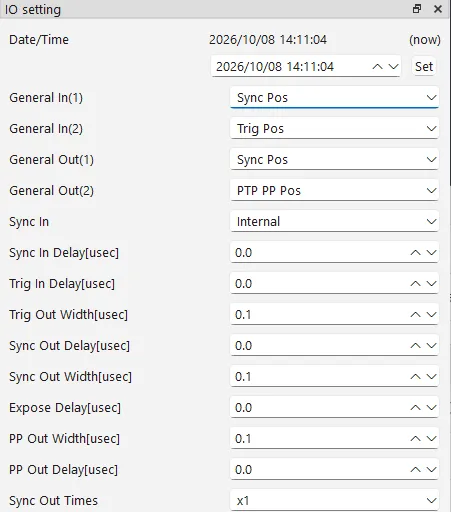
Setting the time (Date/Time)
Section titled “Setting the time (Date/Time)”Sets the camera’s internal clock. The configured time is used for the time information recorded in the image header.
-
Enter the desired date and time in the lower row of Date/Time.
-
Click Set.
Assigning input/output signals (General In / General Out)
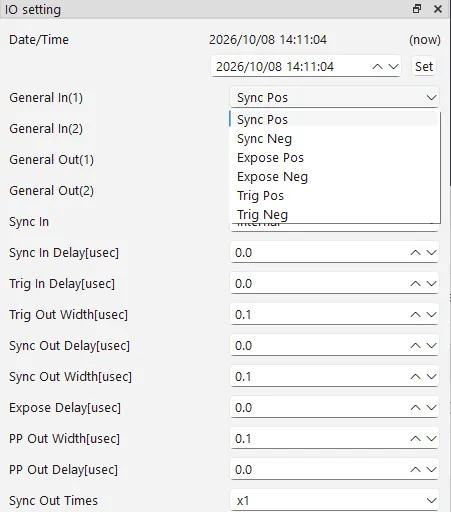
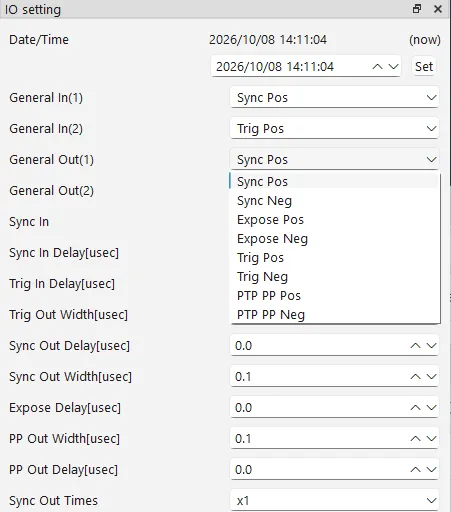
Section titled “Assigning input/output signals (General In / General Out)”Assign a signal type to each of the camera’s two general-purpose input terminals (General In) and two general-purpose output terminals (General Out).
Signal types
Section titled “Signal types”| Signal | Contents |
|---|---|
| Sync | A synchronization signal. |
| Expose | A signal output while the image sensor is exposing. |
| Trig | A trigger signal. |
| PTP PP | A pulse output at each PTP time second boundary (x.000000 seconds) (General Out only). |
About the Expose signal
Section titled “About the Expose signal”The image sensor is not continuously exposing during capture; it repeats exposure and non-exposure periods for every frame. The Expose signal is output during the exposure period.
For example, at a frame rate of 1,000 fps and a shutter speed of 1/2000 second, half of each frame (1/1000 second) is exposure and the other half is non-exposure. In this case, the Expose signal alternates On and Off at a constant interval.
Pos / Neg represent the signal polarity.
- Pos: operates on the rising edge (positive logic).
- Neg: operates on the falling edge (negative logic).
About trigger input
Section titled “About trigger input”When a trigger signal is input, a trigger frame flag is recorded in the image header of the frame at that moment. The image header also records other information such as the timestamp and frame number (serial number). See the SDK manual for details on the header.
External synchronization (Sync In)
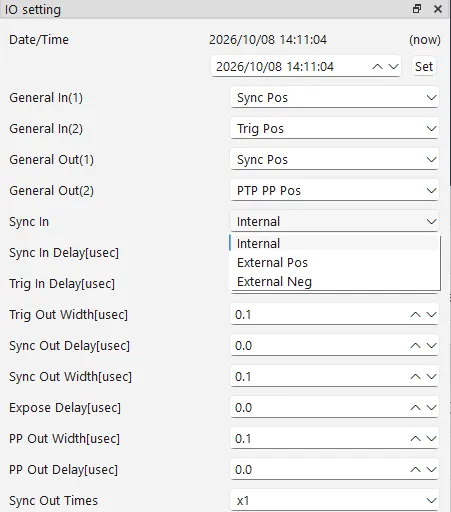
Section titled “External synchronization (Sync In)”Choose what the camera synchronizes its operation to.
| Setting | Behavior |
|---|---|
| Internal | Operates on the camera’s internal clock (free-running). |
| External Pos / Neg | Operates in accordance with the external synchronization signal input to General In. |
Setting the delay and signal width
Section titled “Setting the delay and signal width”Set the delay amount (Delay) and signal width (Width) for each signal, in microseconds (usec).
| Item | Contents |
|---|---|
| Sync In Delay | Delay amount for the synchronization input |
| Trig In Delay | Delay amount for the trigger input |
| Trig Out Width | Signal width for the trigger output |
| Sync Out Delay | Delay amount for the synchronization output |
| Sync Out Width | Signal width for the synchronization output |
| Expose Delay | Delay amount for the exposure signal |
| PP Out Width | Signal width for the PTP PP output |
| PP Out Delay | Delay amount for the PTP PP output |
Synchronization output multiplier (Sync Out Times)
Section titled “Synchronization output multiplier (Sync Out Times)”Choose how many times more frequently, relative to the frame rate, the synchronization output (Sync Out) is produced (x0.5, x1, x2 … x30).
- x1: outputs once per frame.
- x2: outputs twice per frame.
- x0.5: outputs once every 2 frames.