
Names of Screen Elements
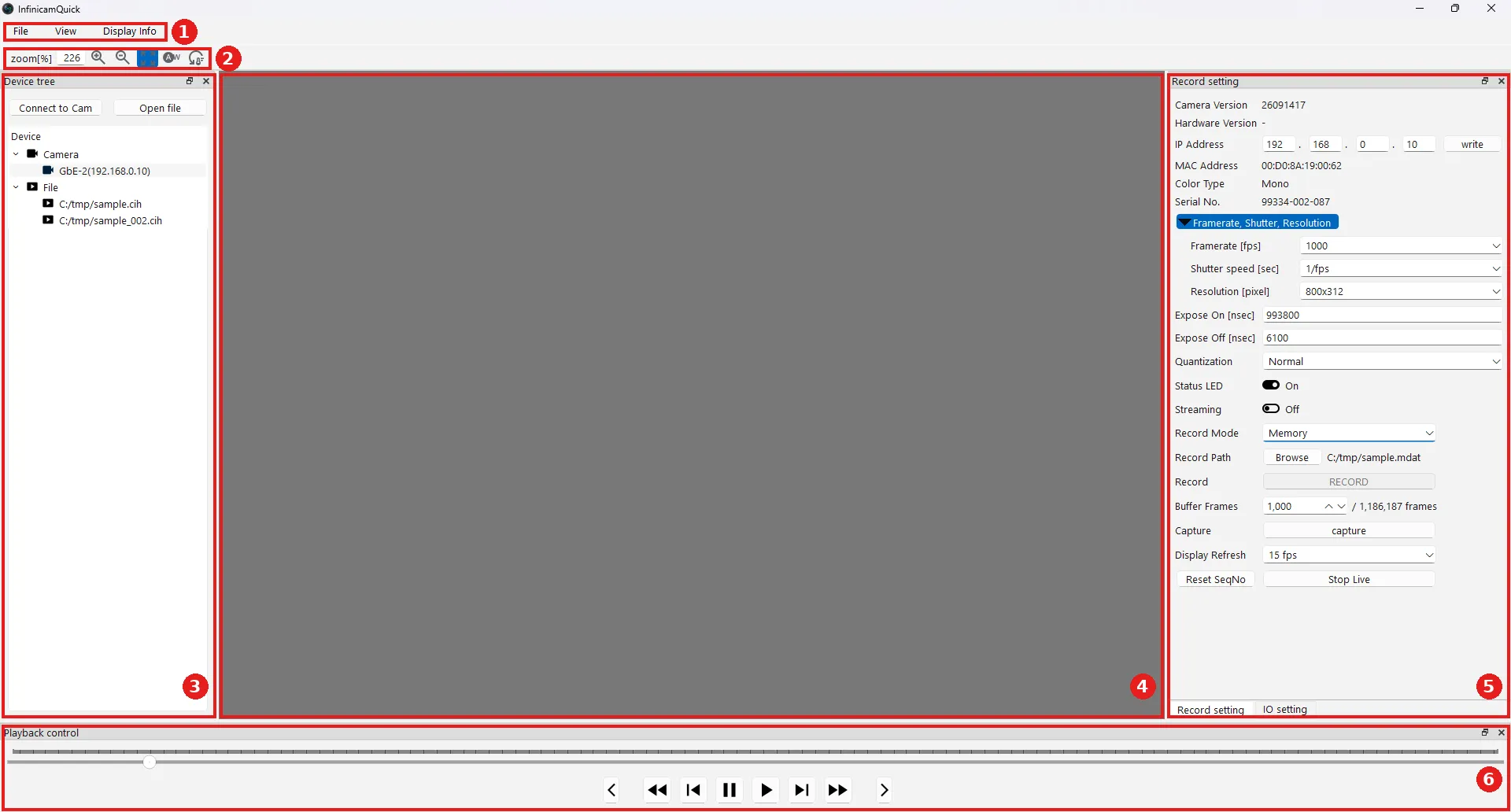
| No. | Name | Contents | Details |
|---|---|---|---|
| ① | Menu | File / View / Display Info menus | Below |
| ② | Toolbar | Zoom level and white balance controls | Below |
| ③ | Device tree | Connecting to the camera, opening files, switching the display | Connecting the Camera, Playback |
| ④ | Display area | Shows the live video feed or a played-back image | Live View & Capture |
| ⑤ | Record setting / IO setting | Capture conditions, recording, and external IO settings | Frame Rate, Shutter & Resolution, Recording, External IO |
| ⑥ | Playback control | Controls for playing back recorded files | Playback |
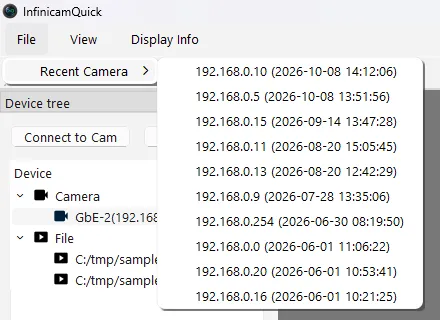
Recent Camera shows the IP addresses and connection times of recently connected cameras.
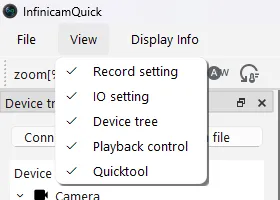
Toggles the visibility of the windows shown on screen (Record setting, IO setting, Device tree, Playback control, Quicktool). Windows with a checkmark are displayed.
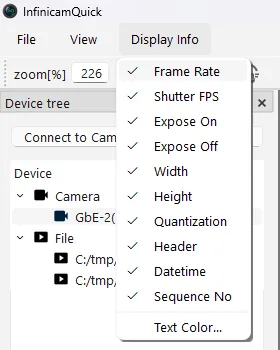
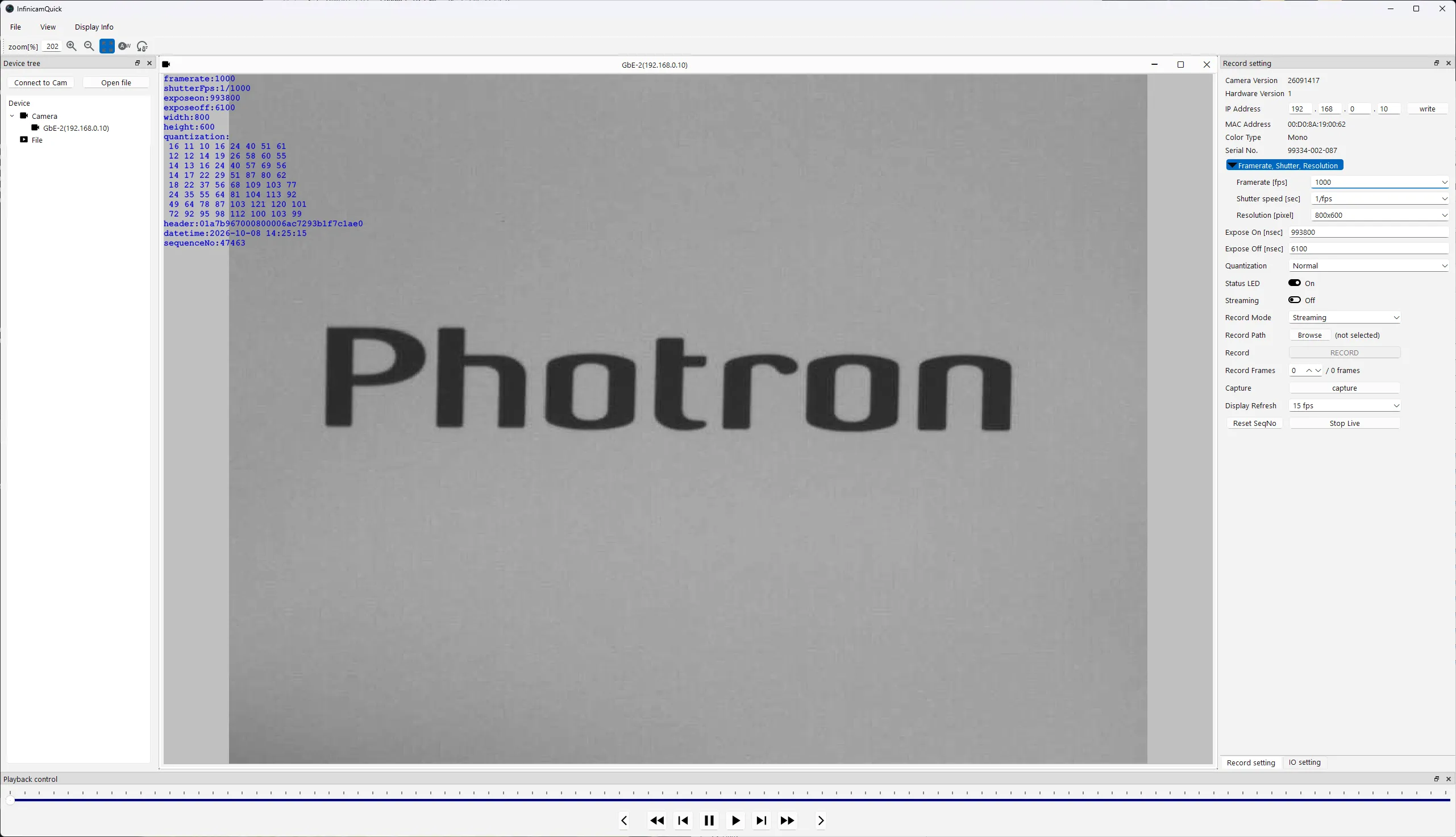
Display Info
Section titled “Display Info”Choose which capture information is overlaid on the display area. Checked items are displayed.
| Item | Contents |
|---|---|
| Frame Rate | Frame rate |
| Shutter FPS | Shutter speed |
| Expose On / Expose Off | Exposure time / non-exposure time |
| Width / Height | Image width / height |
| Quantization | Quantization settings |
| Header | Image header |
| Datetime | Capture date and time |
| Sequence No | Frame number (serial number) |
| Text Color… | Changes the color of the displayed text |
Example with capture information displayed:
Toolbar
Section titled “Toolbar”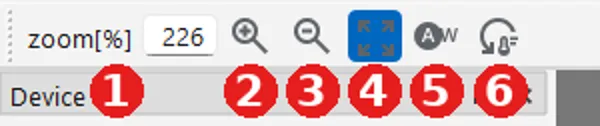
| No. | Name | Contents |
|---|---|---|
| ① | zoom[%] | The current zoom level. |
| ② | Zoom in | Enlarges the display. |
| ③ | Zoom out | Shrinks the display. |
| ④ | Fit | Fits the image to the size of the display area. |
| ⑤ | Auto white (AW) | Automatically adjusts the white balance. |
| ⑥ | Reset white balance | Restores the white balance to its original state. |