
Installation
1. Download and extract
Section titled “1. Download and extract”Extract the downloaded ZIP file to any location. Once extracted, it contains the following files.
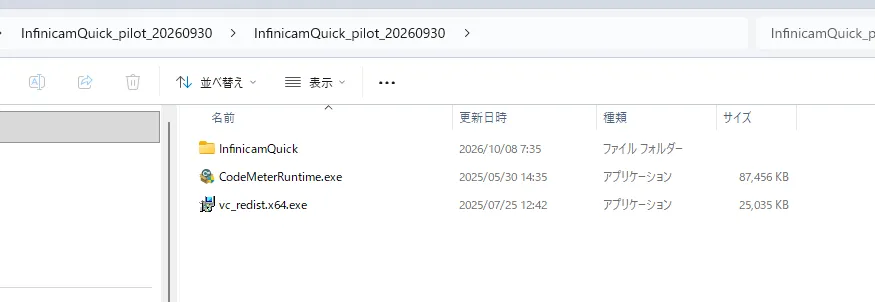
DirectoryInfinicamQuick_pilot_xxxxxxxx
DirectoryInfinicamQuick/ The software itself
- …
- vc_redist.x64.exe Visual C++ runtime installer
2. Install the runtime
Section titled “2. Install the runtime”On a PC where this is the first install, install the following two items in order. Administrator privileges are required for installation.
Visual C++ runtime
Section titled “Visual C++ runtime”Double-click vc_redist.x64.exe and follow the on-screen instructions to install it.
If it is already installed, a “Repair” / “Uninstall” screen will appear. In that case, you can simply click Close to exit.
3. Place and launch the software
Section titled “3. Place and launch the software”-
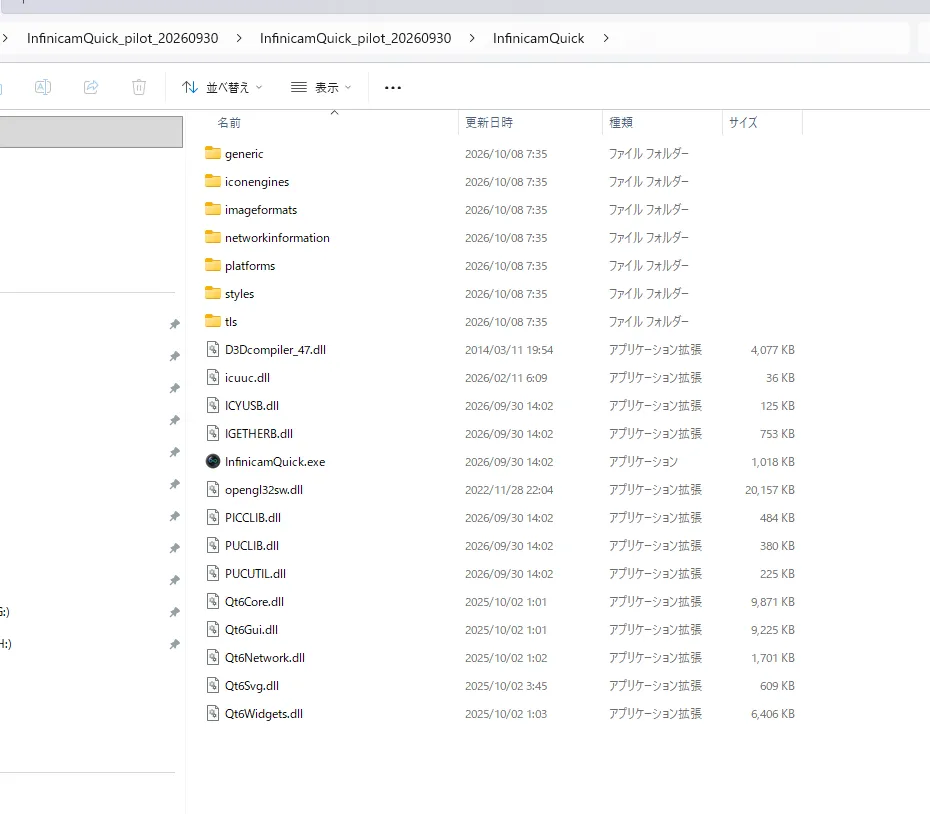
Copy the InfinicamQuick folder to any location (for example,
C:\InfinicamQuick). -
Double-click InfinicamQuick.exe inside the folder to launch it.
-
Installation is complete once the main screen appears.
Next, proceed to Connecting the Camera.