
Live View & Capture
Once connected to the camera, live view (Normal Mode) starts and the camera’s video feed is displayed in the center of the screen.
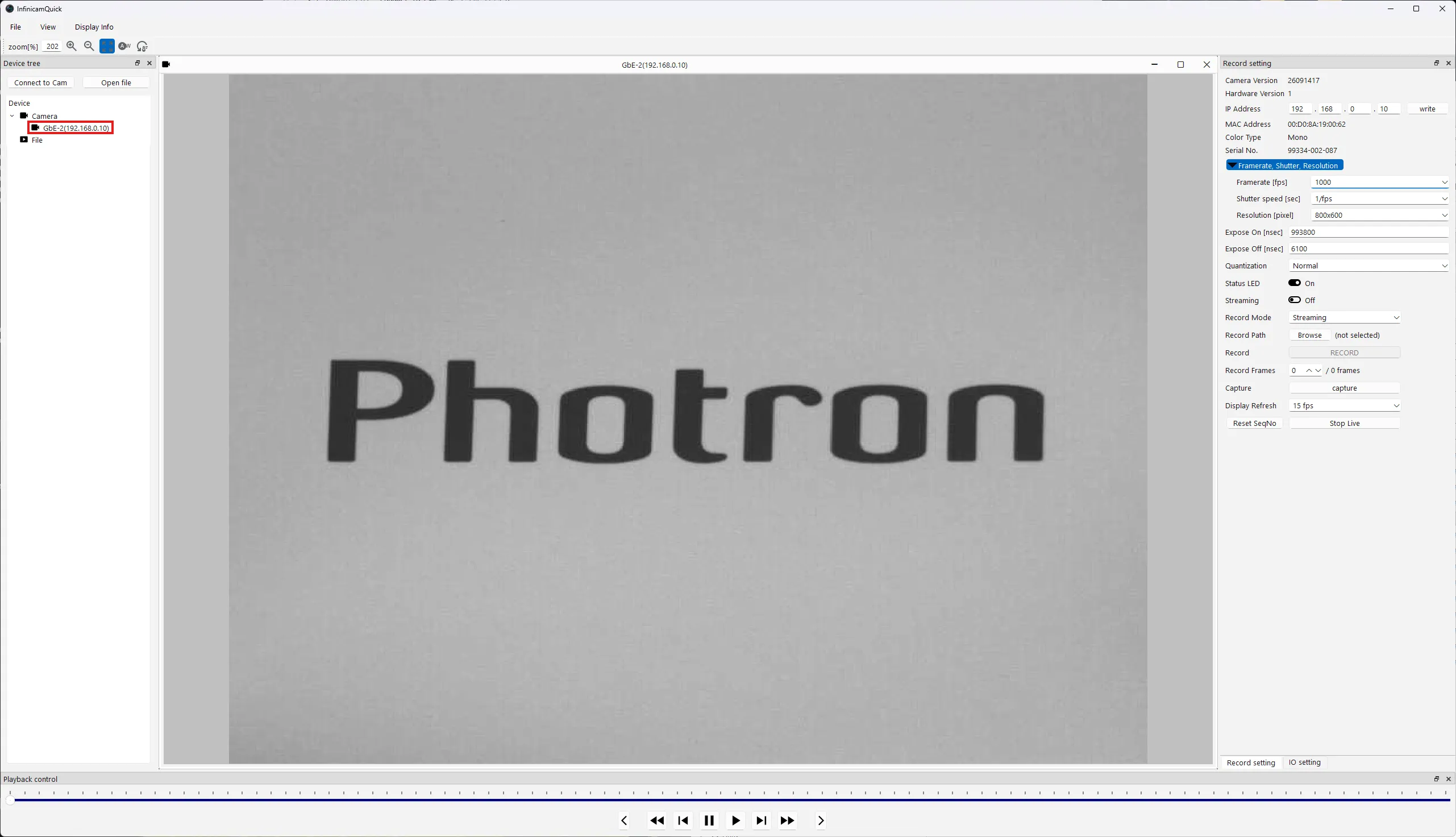
The difference between live view and Streaming
Section titled “The difference between live view and Streaming”The camera has two operating modes: live (Normal Mode) and Streaming.
| Mode | Image acquisition | Use |
|---|---|---|
| Live (Normal Mode) | Acquired at the speed set in Display Refresh (for example, 15 fps) | Checking framing and focus, snapshots |
| Streaming | Acquires every frame at the configured frame rate (for example, 1,000 fps) | High-speed acquisition and recording |
Main items on the right side of the screen
Section titled “Main items on the right side of the screen”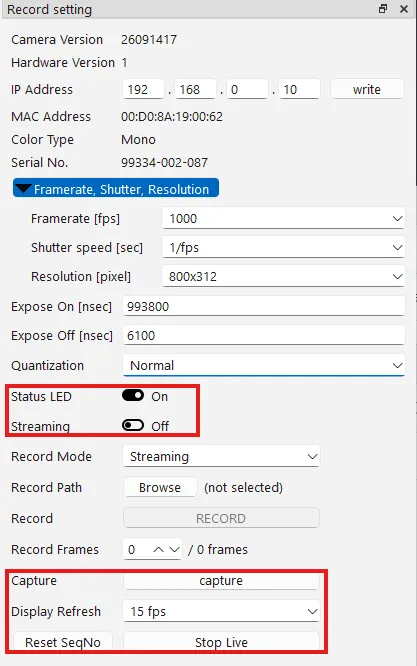
| Item | Contents |
|---|---|
| Status LED | Turns the camera’s status indicator LED On/Off. Turn it Off when its light would otherwise appear in night-time shots, for example. |
| Streaming | Turns Streaming mode On/Off. |
| Capture | Saves the currently displayed image as a snapshot. |
| Display Refresh | Selects the live view refresh rate. |
| Stop Live | Stops live view. |
Taking a snapshot (Capture)
Section titled “Taking a snapshot (Capture)”-
Click Browse next to Record Path and specify a save location.
-
Click capture.
-
Once saving is complete, the location of the saved file is displayed. Click OK to close it.
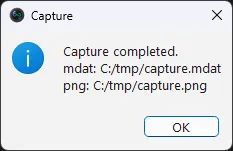
With Capture, a single image is saved regardless of whether Streaming is On or Off. The image is saved as two files, in mdat format and png format. If you want to save a sequence of consecutive frames, use Recording.