
Playback
Open and play back a file you recorded. Playback is possible even without a camera connected.
Opening a file
Section titled “Opening a file”-
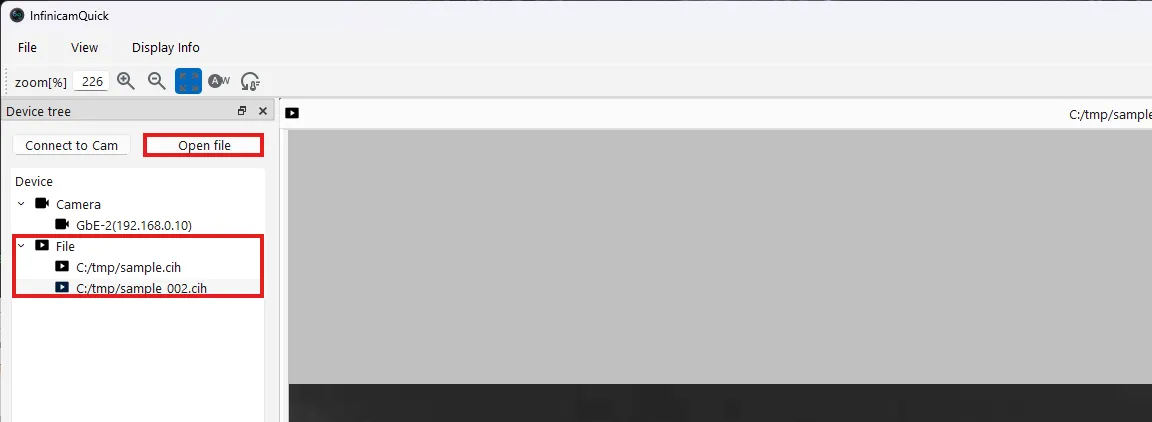
Click Open file in the upper left of the screen.
-
Select the .cih file for the recording you want to play back, and click Open.
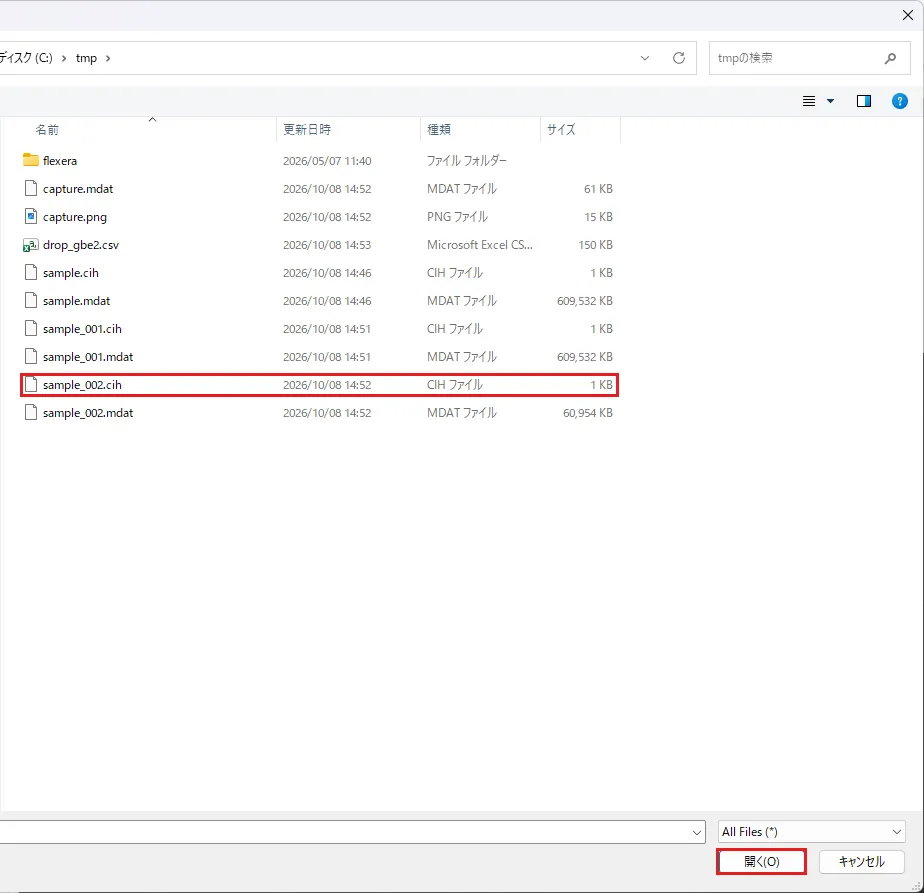
-
The opened file is added under File in the Device tree and displayed in the center of the screen. If you have opened multiple files, click a filename under File to switch the display.
Playback controls
Section titled “Playback controls”Use the Playback control panel at the bottom of the screen.

| No. | Button | Action |
|---|---|---|
| ① | ⏪ | Returns to the first frame. |
| ② | ⏮ | Advances one frame at a time (used while paused). |
| ③ | ⏸ | Pauses playback. |
| ④ | ▶ | Plays. |
Drag the slider above to jump to any frame.